
Left or right
A slim vertical marker that’s easy to scan in side-by-side layouts.
Get the appEdge adds color-coded frames to your Mac so your desktop is easier and faster to navigate without losing sight of your work.
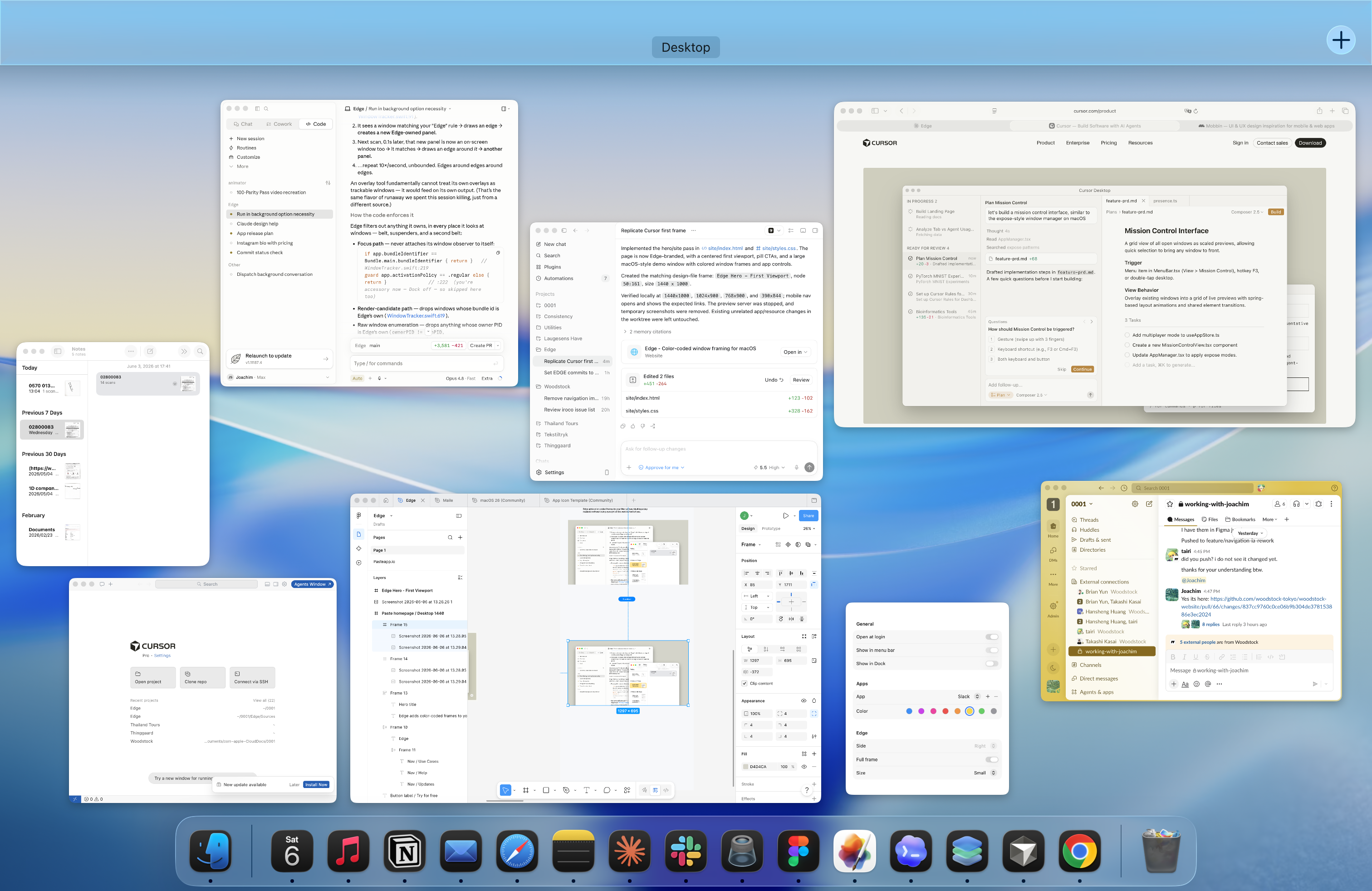
Edge switches to full frames in Mission Control, making every window easier to spot while you scan your desktop.
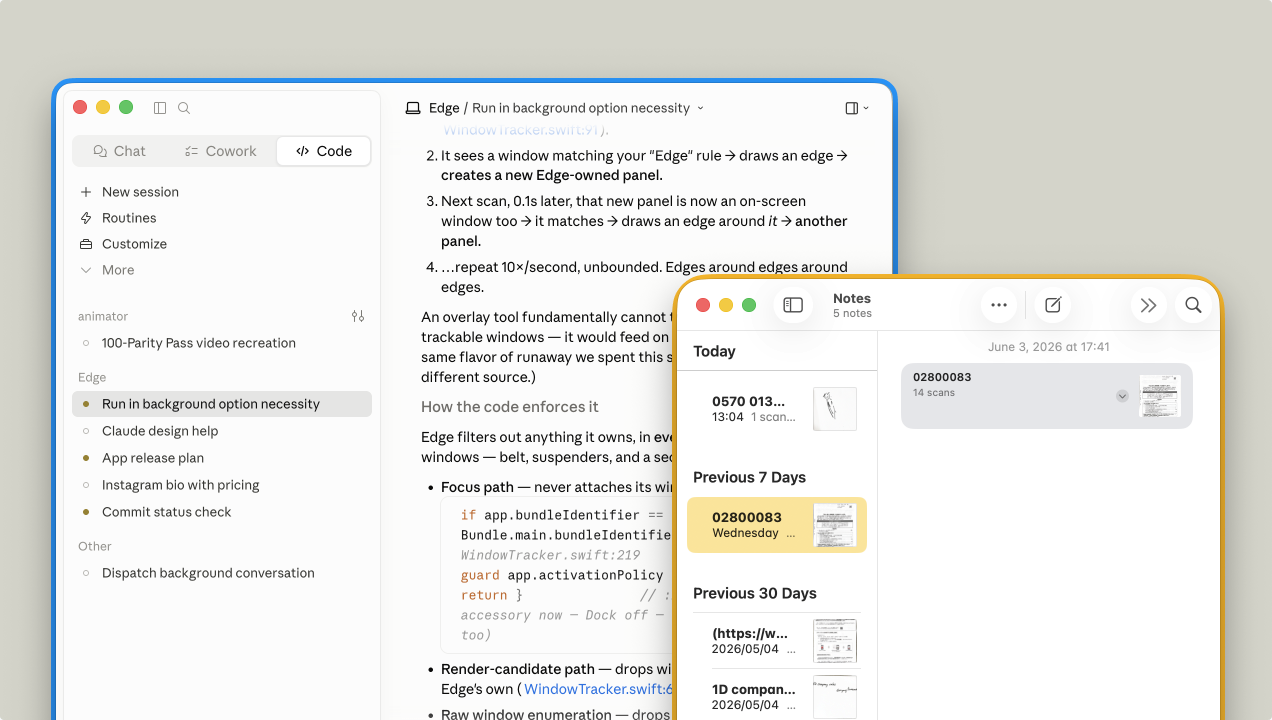
Edge can be edges or frames
A slim vertical marker that’s easy to scan in side-by-side layouts.
Get the appA horizontal band that reads cleanly under the menu bar or along the dock.
Get the appA complete outline for the windows you never want to lose, and the default view in Mission Control.
Get the appEdge is designed with simplicity in mind
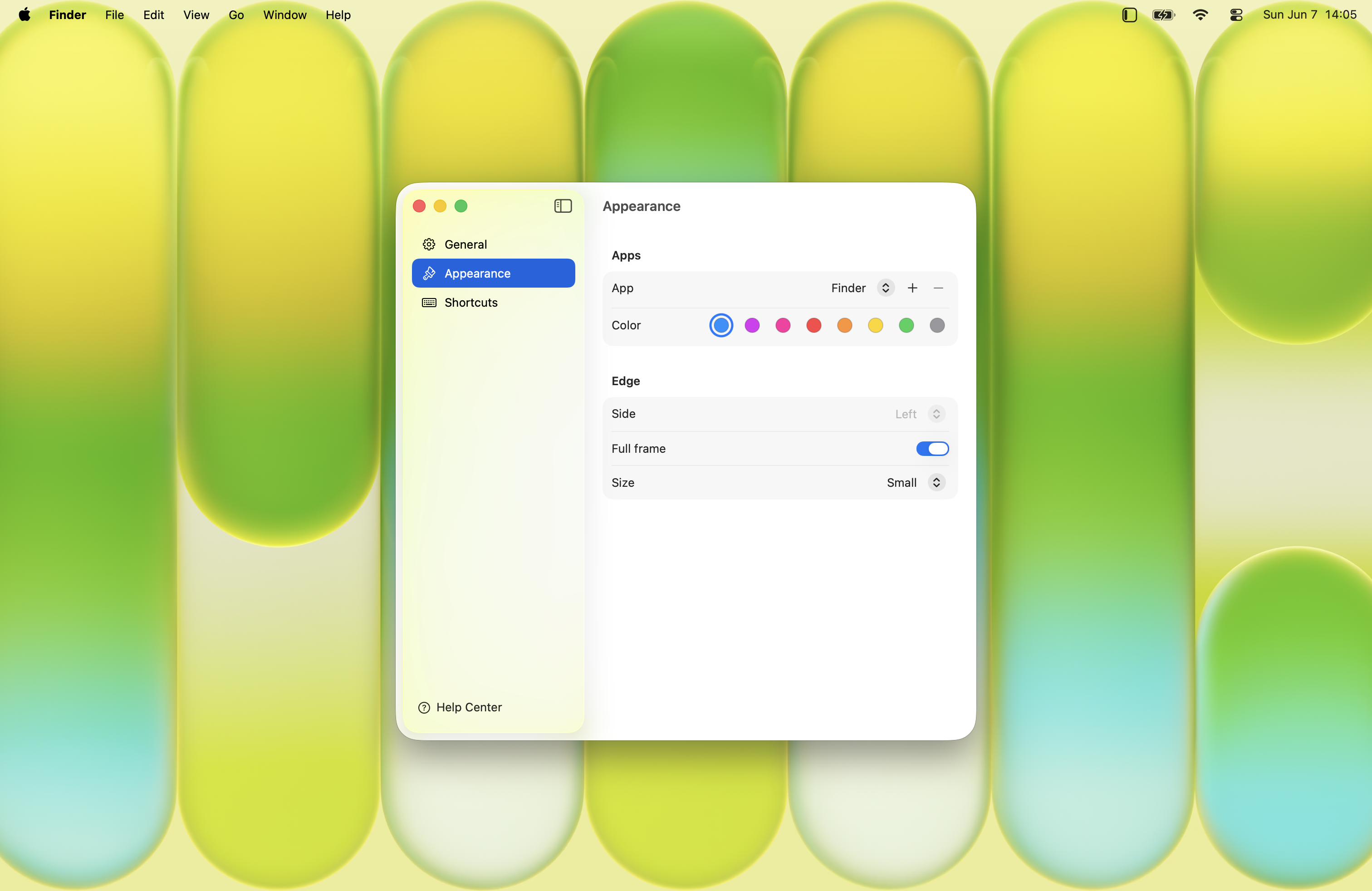
Associate your favorite apps with a color.
Keep mail, chat, and calendar visually distinct so you never land in the wrong window.
Get the appTell your editor, terminal, and browser apart at a glance while you’re deep in a build.
Get the appFrames hug the rounded corners of Mac-native and Electron apps, so everything still looks like macOS.
Get the appRun twenty windows without losing the thread — color does the sorting for you.
Get the appNo tiling rules to learn and no layout forced on you
Spatial memory does the work; color tells you which window is which before you read a word.
Get the appClean, macOS-tuned shades that look right in light and dark mode.
Get the appA small, focused utility that runs quietly in the background.
Get the app
'%3e%3crect%20width='45'%20height='45'%20fill='url(%23wp)'/%3e%3cg%20transform='translate(8.13,12.1)'%3e%3crect%20x='1.74'%20y='0'%20width='45'%20height='45'%20rx='9.96'%20fill='%23ffffff'/%3e%3cpath%20d='M18.0098%200C12.2438%200%209.36029%20-0.000446906%207.17383%201.15723C5.40942%202.09148%203.96645%203.53537%203.03223%205.2998C1.8748%207.4862%201.875%2010.3693%201.875%2016.1348V45H0V16.1357C0%2010.3697%20-0.000410679%207.4863%201.15723%205.2998C2.09142%203.53542%203.53449%202.09246%205.29883%201.1582C7.48531%200.000521487%2010.3687%200%2016.1348%200H18.0098Z'%20fill='%232b98ff'/%3e%3ccircle%20cx='10.677'%20cy='11.027000000000001'%20r='2.617'%20fill='%23ff736a'%20stroke='rgba(0,0,0,0.1)'%20stroke-width='0.262'/%3e%3ccircle%20cx='19.575'%20cy='11.027000000000001'%20r='2.617'%20fill='%23febc2e'%20stroke='rgba(0,0,0,0.1)'%20stroke-width='0.262'/%3e%3ccircle%20cx='28.473'%20cy='11.027000000000001'%20r='2.617'%20fill='%2319c332'%20stroke='rgba(0,0,0,0.1)'%20stroke-width='0.262'/%3e%3c/g%3e%3cline%20x1='10'%20y1='32.8875'%20x2='44.996'%20y2='32.8875'%20stroke='%23e6e6e6'%20stroke-width='0.375'/%3e%3c/g%3e%3c/svg%3e)